Your calls
Any call in Zoom, Meet, Teams, Slack or FaceTime, recorded and transcribed on your Mac, with live notes, decisions and action items as people talk.
 Ember
Download
Ember
Download
Ember writes up your calls live, types what you say in any app, records and shares your screen, and puts your cloud storage in Finder. All on your Mac, with nothing in the cloud you didn't send there.
Any call in Zoom, Meet, Teams, Slack or FaceTime, recorded and transcribed on your Mac, with live notes, decisions and action items as people talk.
Hold a key and speak, and the words are typed where your cursor is, tidied up for the app you're in. Select text and say how to change it.
Record your screen and share it as a link, keep your cloud storage in Finder, find everything you've copied, and save the web into boards.
Live notes
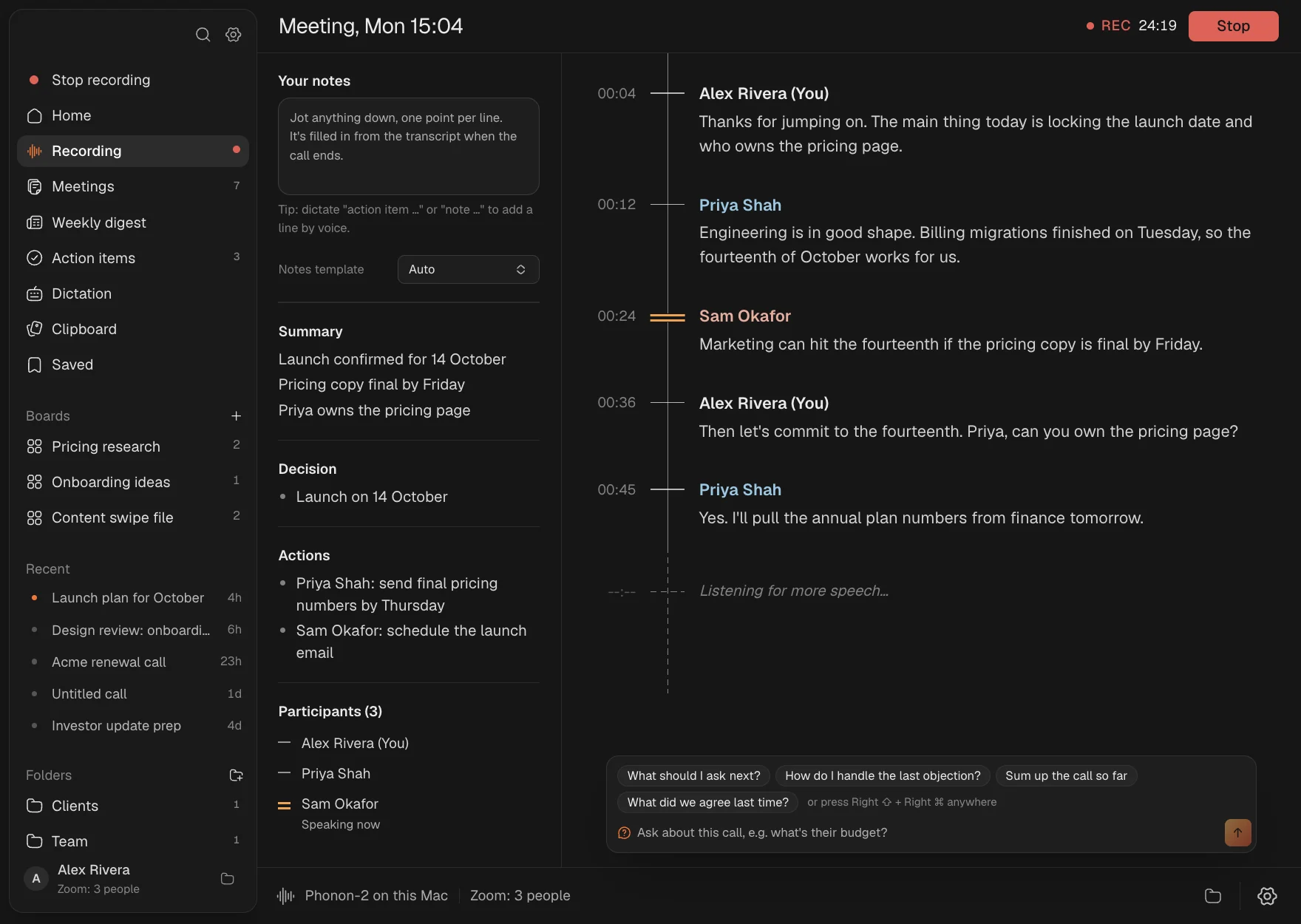
Ember hears both sides of the call, tells speakers apart by voice and names the ones it knows. A running summary, decisions and action items with owners build up beside the transcript. Jot your own notes and they're filled in afterwards, or say "action item" with your dictation key.
Help during calls
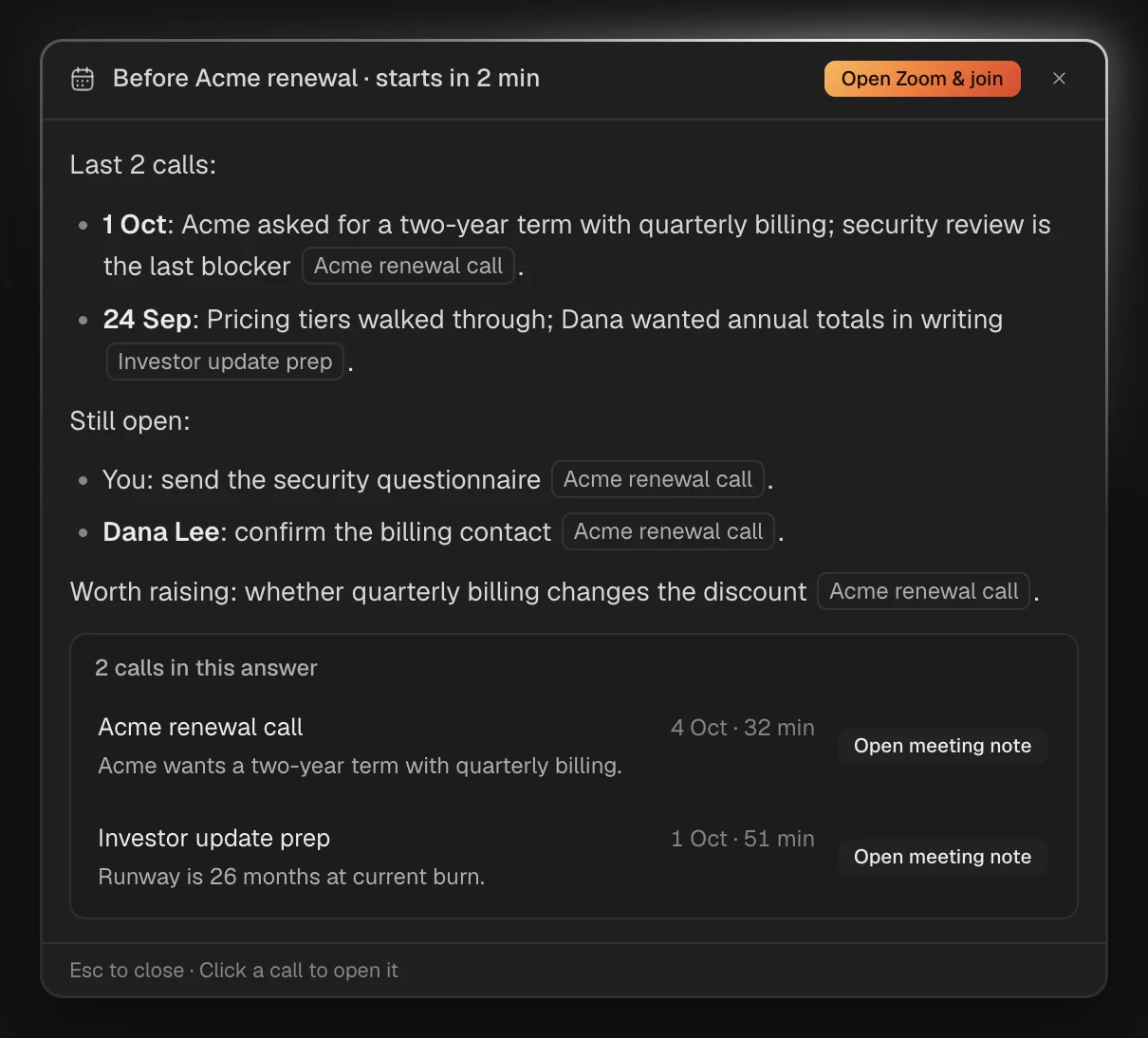
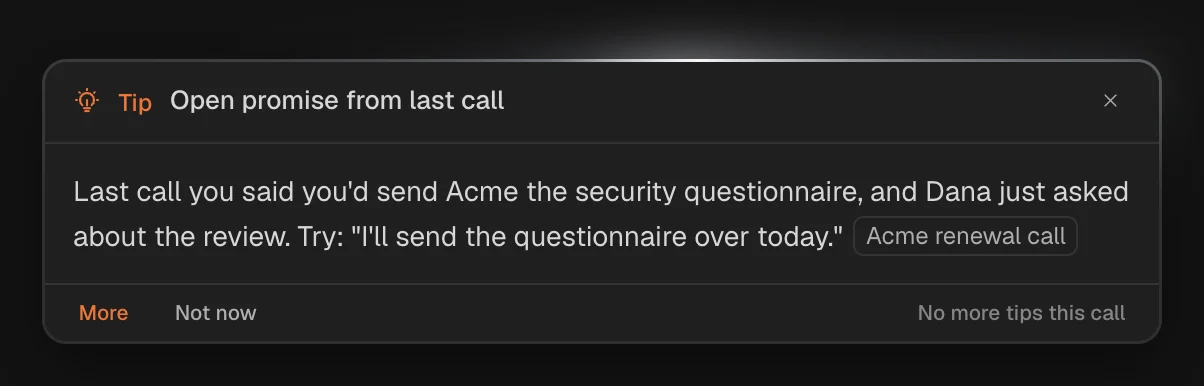
Ask anything during a call, typed or quietly out loud, and get an answer from the call so far, your playbooks and earlier calls with the same people. Tips appear on their own only when they'd help, as often as you like. Two minutes before a call, a briefing recaps what you last discussed and what's still open.
Ask your meetings
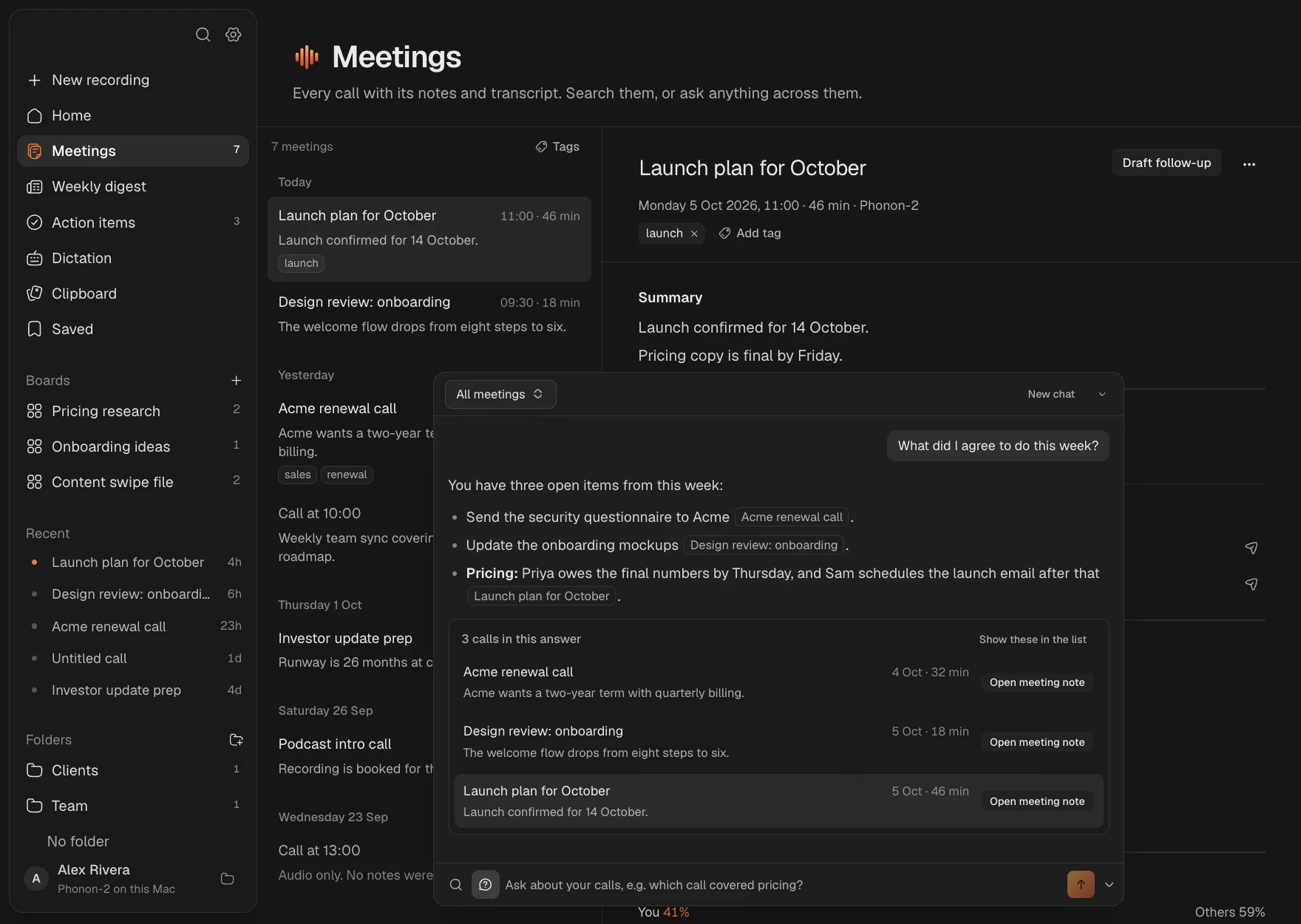
"What did I promise Priya?" Ember answers from your calls and links to the ones it used. Tick off action items, send them to Linear, Notion or Apple Reminders, and draft the follow-up in your own writing style.
Copy and save
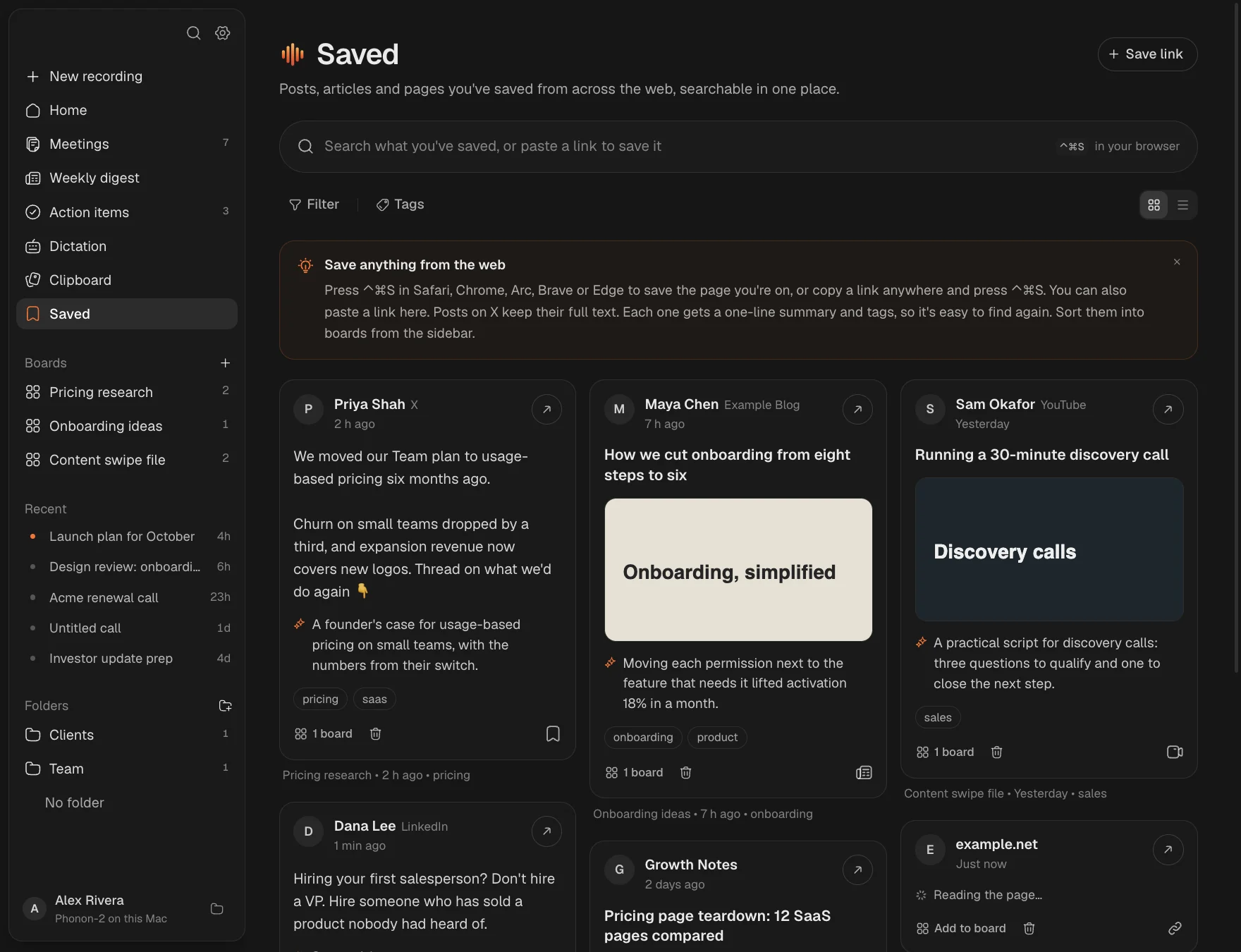
Press ⌘⇧2 and drag over anything, a paused video, a slide or a PDF, and the text is copied. ⌃⌘V opens everything you've copied over any app. ⌃⌘S saves the page in your browser to Saved, as a card with a one-line summary and tags, sorted into boards.
Screen recordings
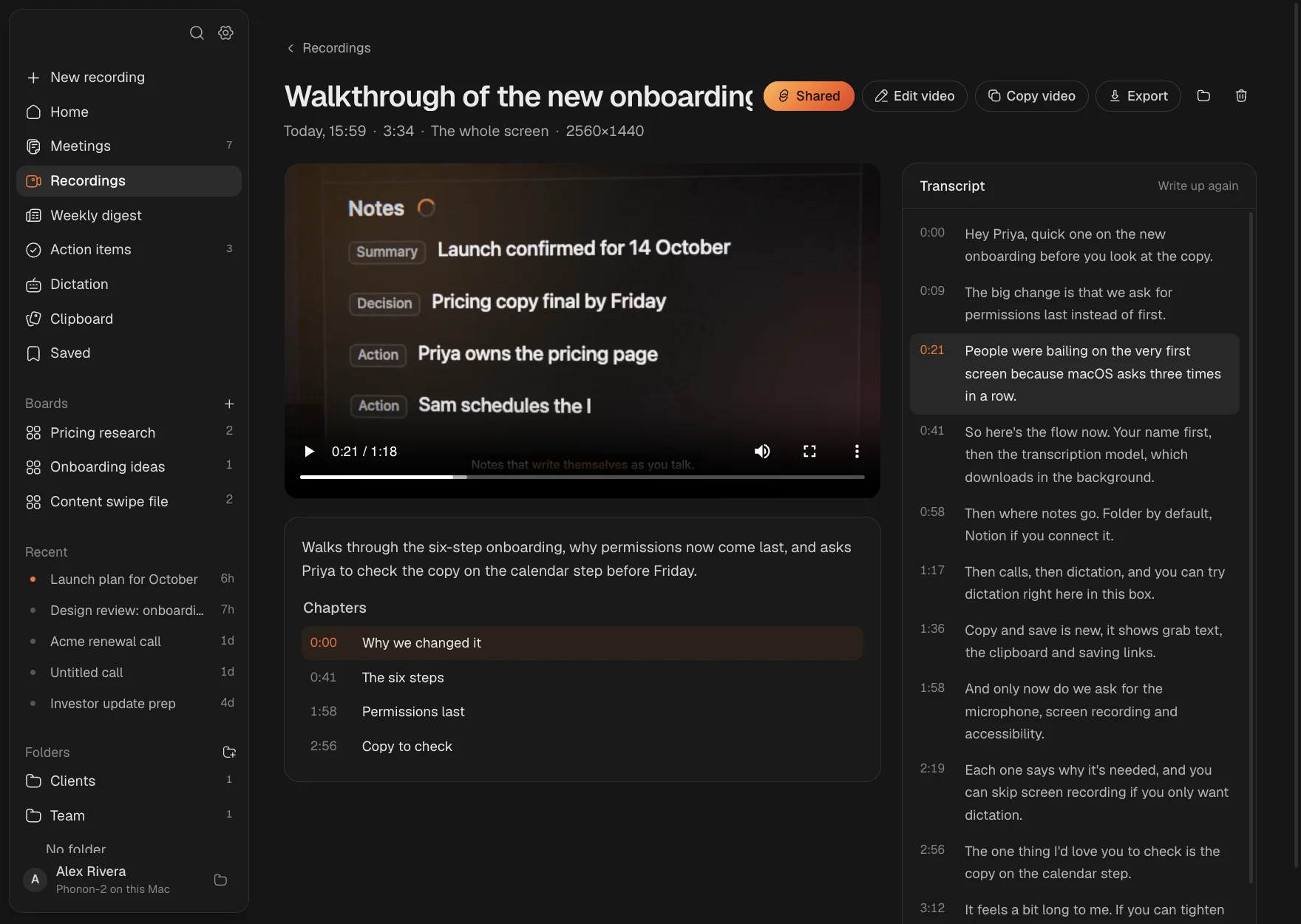
Press ⌃⌘R and record the whole screen, a window or an area, with your camera in a bubble and your microphone. When you stop, the recording is transcribed on your Mac with a title, summary and chapters, and a finished version with your webcam and a smooth cursor is ready to share.
Edit and share
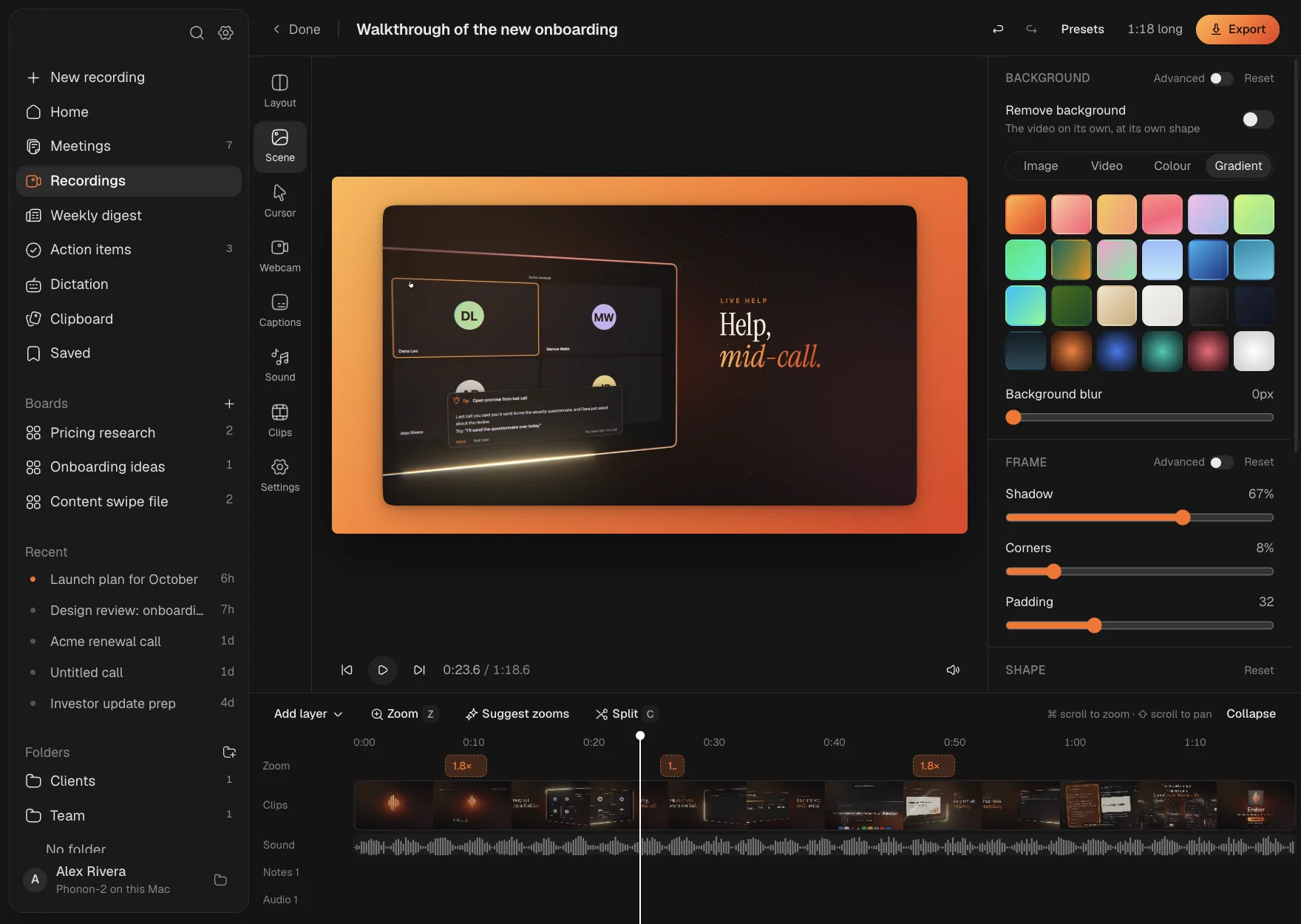
The editor zooms in on your clicks with smooth camera moves, draws a crisp cursor, and frames the video on a background of your choice. Drag your webcam where you want it, try the side-by-side layout for sales videos, add captions, cut the pauses. Then share a link that plays from your own Cloudflare account, with a title, an expiry or a password.
Ember Drive
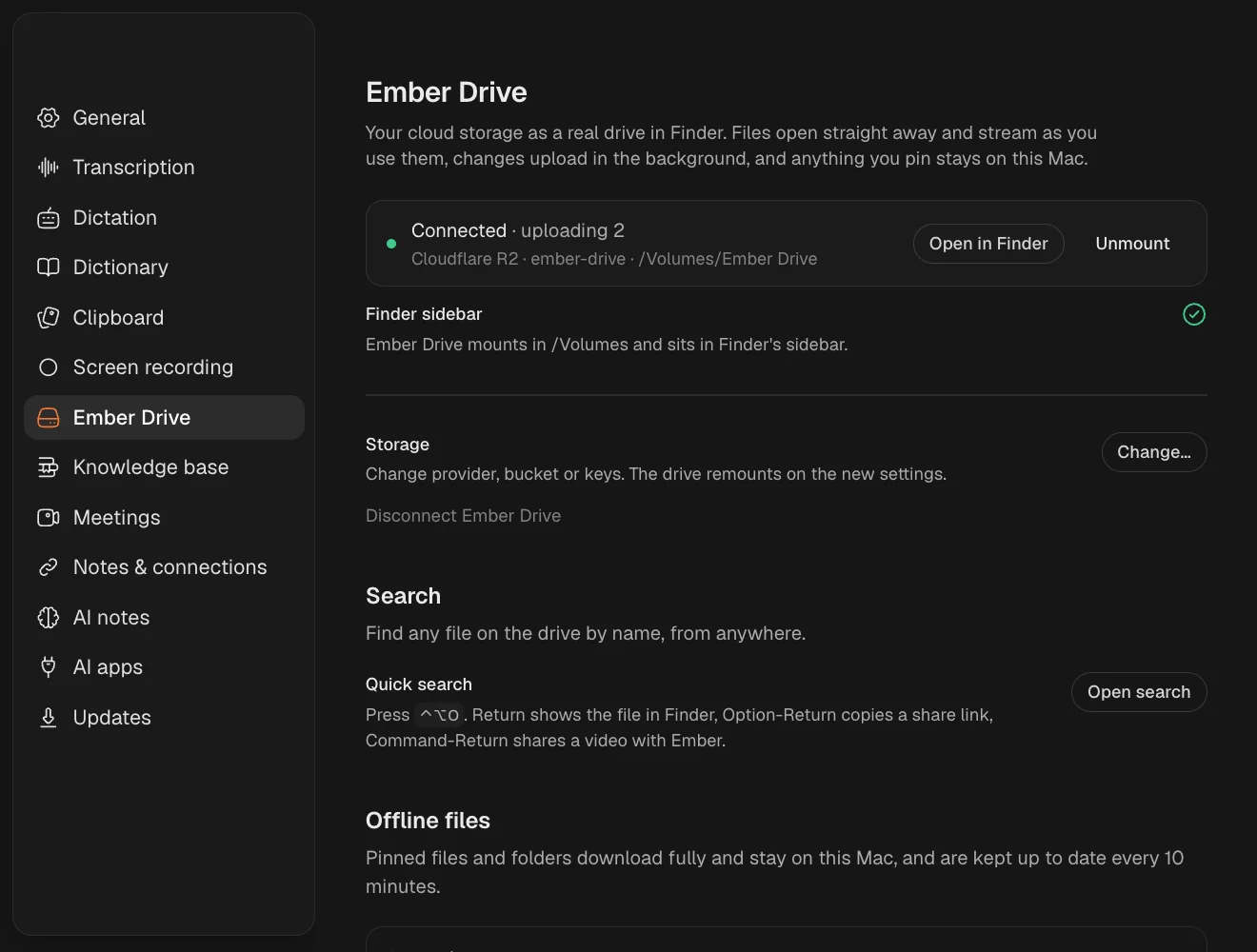
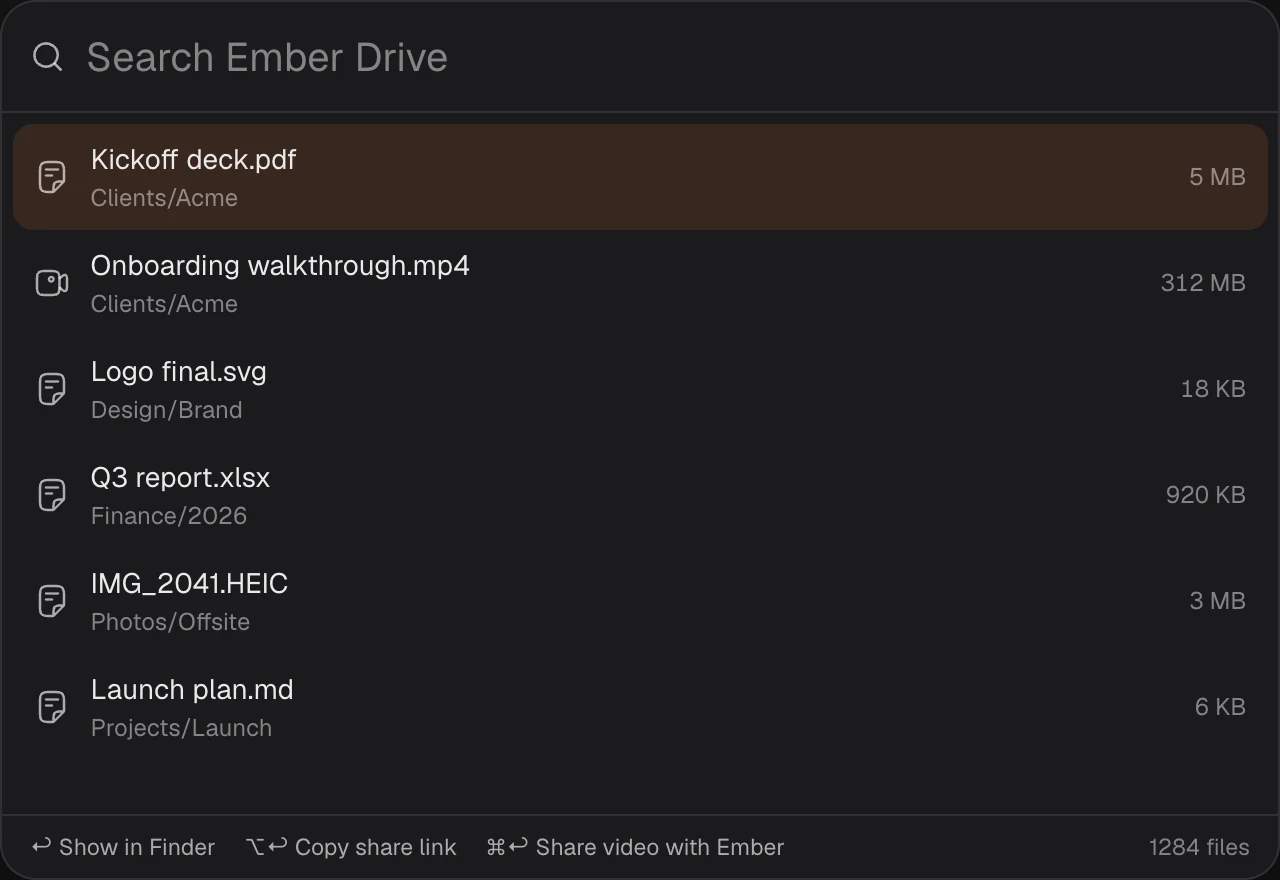
Cloudflare R2, Backblaze B2, Amazon S3, Wasabi or any S3-compatible bucket, mounted like any other drive. Files open straight away and stream as you use them, changes upload in the background, and anything you pin stays on your Mac. Press ⌃⌥O to find any file on it.
Typed where your cursor is, matched to the app: casual in Slack, professional in email, exact in code.
Select text in any app, say "make this shorter", and it's rewritten in place.
Every AI feature on your Mac with Gemma 4. Free, private, no internet.
Or use your OpenRouter key and pick any model. No subscription.
Claude, Claude Code and Cursor can search your calls through a built-in MCP server.
Talk share, pace, filler words and questions for every call, with one tip.
To Linear, Notion or Reminders, by hand or after each call. Ticking closes them there too.
Names it gets wrong, fixed everywhere, with suggestions from your calls.
Your webcam on a third of the frame and your screen beside it, framed to keep your face in view.
Every recording gets your webcam and a smooth cursor straight away, ready to copy or share.
Notarized, in your Dock and menu bar, and never restarts during a call.
Private by design
Audio, transcripts, notes, voice prints, screen recordings, your clipboard and what you save.
Text for AI goes to the model you choose, or nowhere in offline mode. Videos you share and Ember Drive files go to your own storage.
No sign-up, telemetry or analytics. Free and open source.
Your calls, your voice, your screen and your files. On your Mac.
Download for Mac